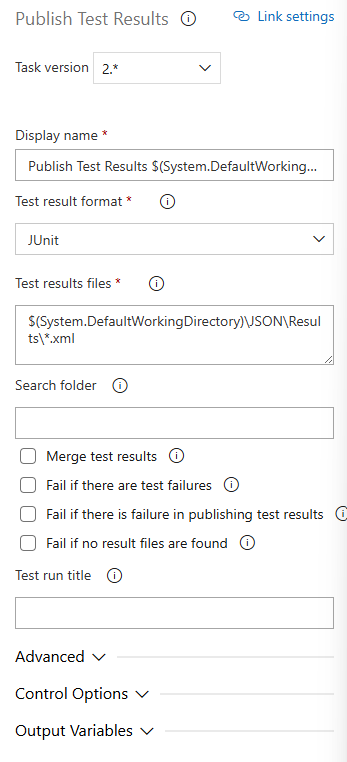
Can you explain what your pipeline looks like? It should now be similar to how you would set it up in Newman.
I notice you have Test Plans enabled within your ADO project.
You should be able to publish the test results directly to Test Plans.
Start by getting your sources. With the CLI, you might not need this step because you can use command line options to pull the collection straight from Postman Cloud.
Then your pipeline would have three main steps:
-
Install the CLI tool.
-
Run your Postman collection. Make sure the working directory is set correctly, because you’ll need it later when publishing the test results.
-
Publish the test results using the “Publish Test Results” action. This will upload the results to the Test Plans section in Azure DevOps (ADO).
Just make sure the format of the test results matches the format expected by the reporter. I would try the JUnit option.
One important detail: the working directory must be set properly so the report gets picked up correctly.