Hi, first time here! This forum is almost as difficult to use as Postman…
I came here, because the link to “Explore the new Postman” fails to give hands-on explanations about where the new stuff is and how it works.
In particular I am wondering this:
How do I connect my Postman Team workspace to a GIT repository on GitLab? I do not mind manually creating the repository first.
Unfortunately my Postman does not look like that, with a Files icon, probably because we are not on a Paid plan yet.
I went down the rabbit hole of trying to get AI-answers, and the conclusions are
This is for “API objects” (not Collections) that are not explained anywhere what it is for.
“API objects” are for API design, with a (for us) strange implied workflow of designing the API using rather poor tools, dicsonnected from the source code. Our API specifications are generated from the source code rather than the other way around, and GitLab already does a pretty good job of visualizing them.
Importing the swagger.yaml file from our codebase into Postman was possible, but failed to put the “API objects” in a place where it could be found. Had to enable “APIs” in the left sidebar first (not explained), or manually re-import from the APIs page later on (did it). The generated Collection from the imported file looks great though - a complete structured set of Collections and Requests.
I am pissed by the recent move to not allowing even 2-person Teams on the Free plan (not enforced yet), after forcing “cloud collaboration” down our throats earlier. Will seek a simpler and more scalable alternative like Bruno.
I am using a Windows program - I do not know what version it might be, have trouble figuring out where to check it. There was an update, but I think I prefer not changing anything now (too many undesired changes already). Bummer, I think I cannot stop it now that the update has been downloaded. Hope nothing breaks.
In the Postman version that I use, API specifications appear under “APIs” in the left side menu (after finding the cryptic icon to add “APIs” there). I never figured that I should look in Specs (it was there) - the AI suggestion was that I should see “APIs” somewhere - a frustrating exercise looking in vain for where that import ended up.
I do not know what “Project” might be in Postman, and don’t think I have a need for it. I have Collections/Folders and Requests (and APIs, now that I figured out how to enable it in the UI).
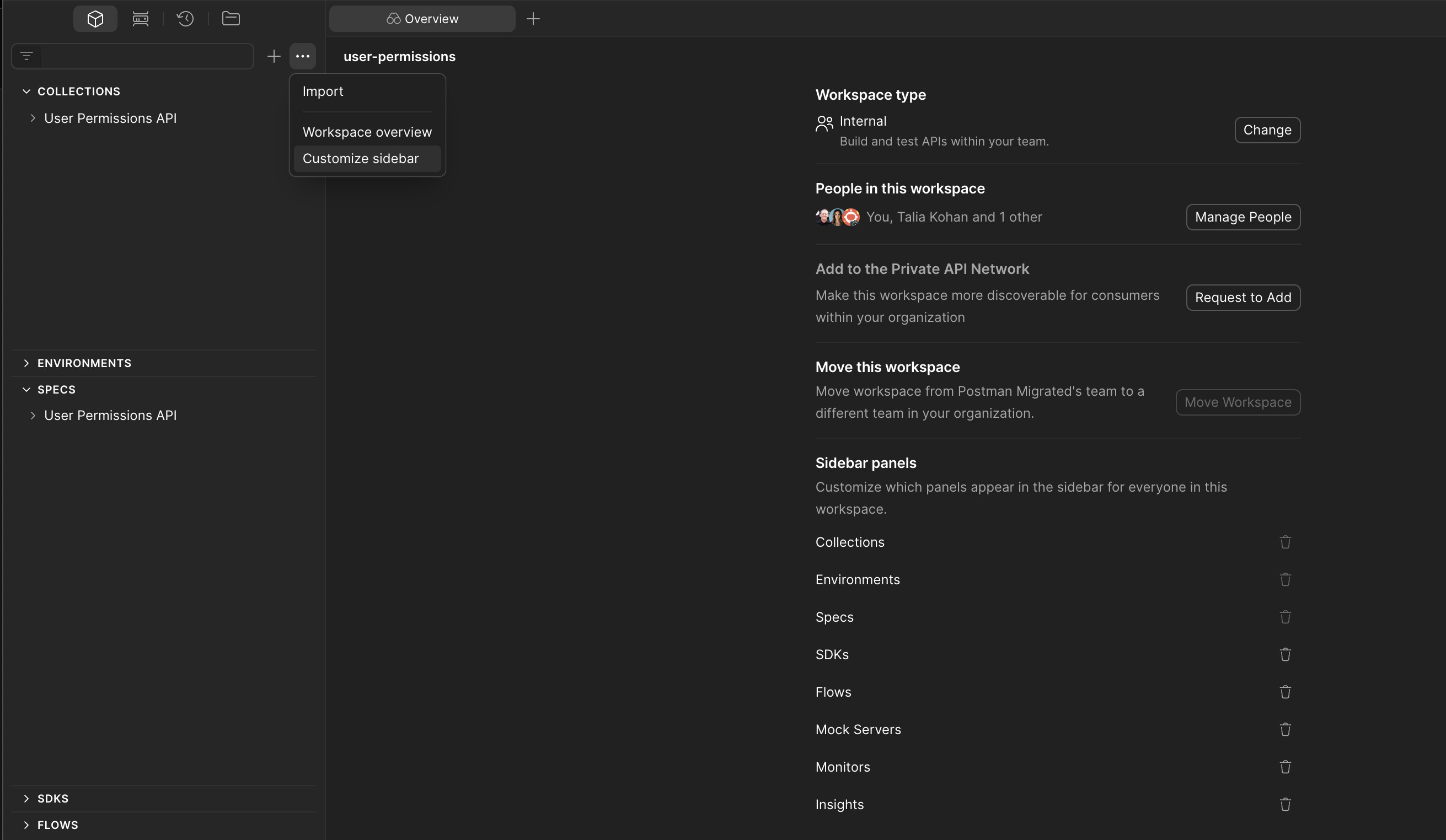
For all elements within a Workspace, they can be found in the right sidebar. If a feature is not present, you can use the Customize sidebar option to add those into the Workspace.
I’m a little unclear about what you mean by Projects is that something in GitLab?
You can store your Collections, Requests and Specs inside a Postman Workspace, either in the Cloud Mode or in Local Mode which would be a local folder connected to your git repo.
I once saw a version number, but the Postman Windows program has an UI that is mysterious. There is no About section in Settings. However, Release Notes says “Postman 11.86.5 March 1, 2026“ - so quite recent. Your Mac is running something else.
I made the mistake of asking some AI for help navigating the changing UI, and it took me down a couple rabbit holes, including a lot of searching for the disappeared “APIs” section (found it).
Specs appears to be little more than a text document with a Table-Of-Contents? GitLab visualizes our generatesd swagger.yaml in a much more useful manner. We are unlikely to use Specs.
I now gather that Cloud Mode is quite evil… and since Postman has declared that the Free tier will be single-user, we are going elsewhere. Thanks for the explanation that there is a Local Mode to use woth GIT - that was very under-communicated in the announcement about “The new Postman”.