I’ve never run this Collection but looking at the code in the Tests script, it saves all the collected Tweets to a Collection level variable.
If you open the Collection in a tab, you will see a serious of options like Auth, Pre-request scripts, etc. One of the options in Variables and that should contain the variable if it’s been run as expected.
Can you show what you have in front of you, if might be easier to guide you where to look.
Thanks for your quick reply! The screenshot below is what I see after I’ve run the collection. I see the “alltweets” content, but I want to know how to export it as a JSON file, otherwise it’s useless to me.
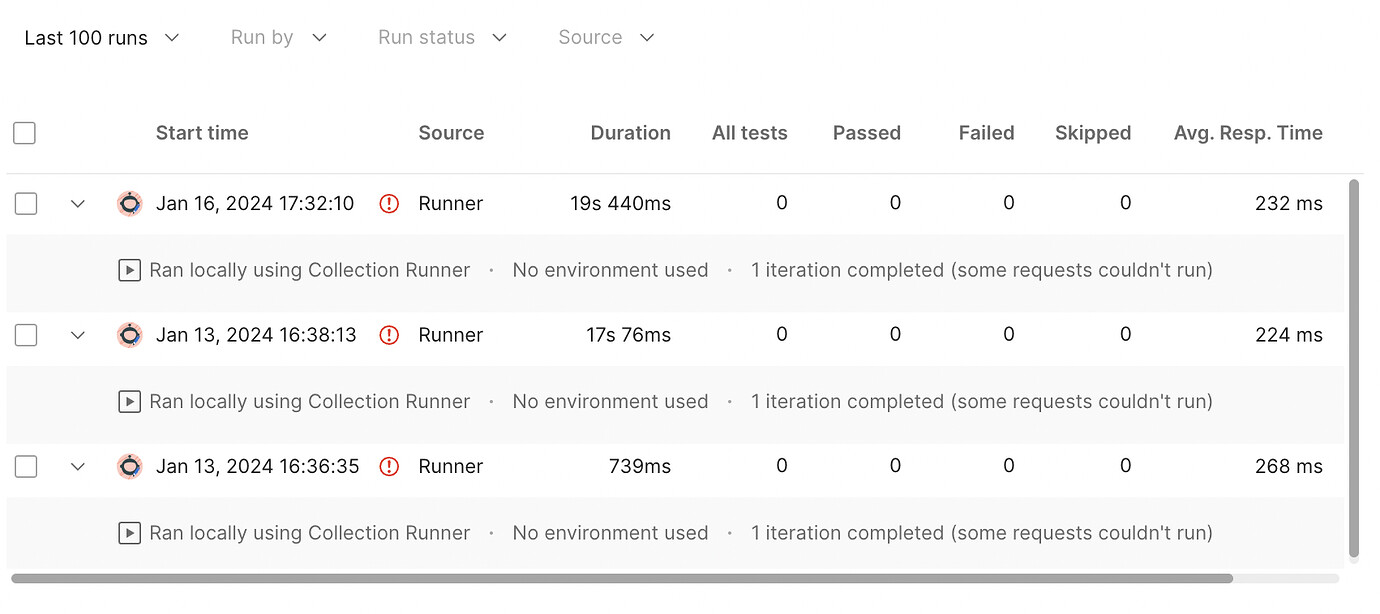
@danny-dainton, I actually don’t even know if it’s working to be honest because it looks like it only ran one iteration each time and there were errors?
I mentioned it before but I’ve never run this Collection so my responses are based on my understanding of how it should be working.
There isn’t a method in the app to export that to a file, you could change the scope of that pm.collectionVariables.set() to a different scope like environment to store it there. Environments can be exported as a JSON file but that would also come with all the internal scaffolding of the Postman Environment format.
I’m not sure how this is useless, you can just copy and paste that value directly into a JSON file which would be the same result as exporting it.
Another way that you could store certain values in a file would be to use Newman and create a script to extract those details and store them in a file. I don’t have anything to hand that I could share here though.
Without more context and information, I couldn’t tell you what’s happening here - I can’t see the error or the Postman Console log output to know what couldn’t be run.
Something to be aware of that since this thread was started there have been several changes and restriction imposed on the Twitter API which rate limits certain actions. You would need to do some research in their documentation to know that full information.