Archived topic — this may be out of date.
Newman has been replaced by the Postman CLI, Postman’s official, signed command-line tool. It runs collections as Newman did, and also lints API specs, runs mocks and monitors, and syncs local files with Postman from your terminal, CI/CD pipeline or coding agent.
Working with an AI coding agent? The Postman plugin lets agents in Claude Code, Cursor, Codex and others design, mock, test and ship APIs with Postman.
For current help, see the Postman docs, try the free Postman tools (no account needed), or join us on Discord.
I am running my collection using newman.cmd, I was wondering how to get the full failure details immediately. E.g. when running and a test fails something like this is output to the command line:
  1. Status code is HTTP OK
  2⠄ JSONError in test-script
Only once the run is over do I get the full details:
2.  AssertionError         Status code is HTTP OK
                            expected { Object (id, _details, ...) } to have property 'code'
                            at assertion:0 in test-script
                            inside "PostmanTest/MyRequest"

 3.  JSONError              Unexpected token u in JSON at position 0
                            at test-script
                            inside "PostmanTest/MyRequest"
How can I have these details printed to the console immediately without having to wait til the run is over and then matching the numbers?
Hey @postmanerrrrrrr 
Welcome to the Postman community! 
Are you not getting that output from each request as it’s run? That’s the default behaviour on the CLI reporter.
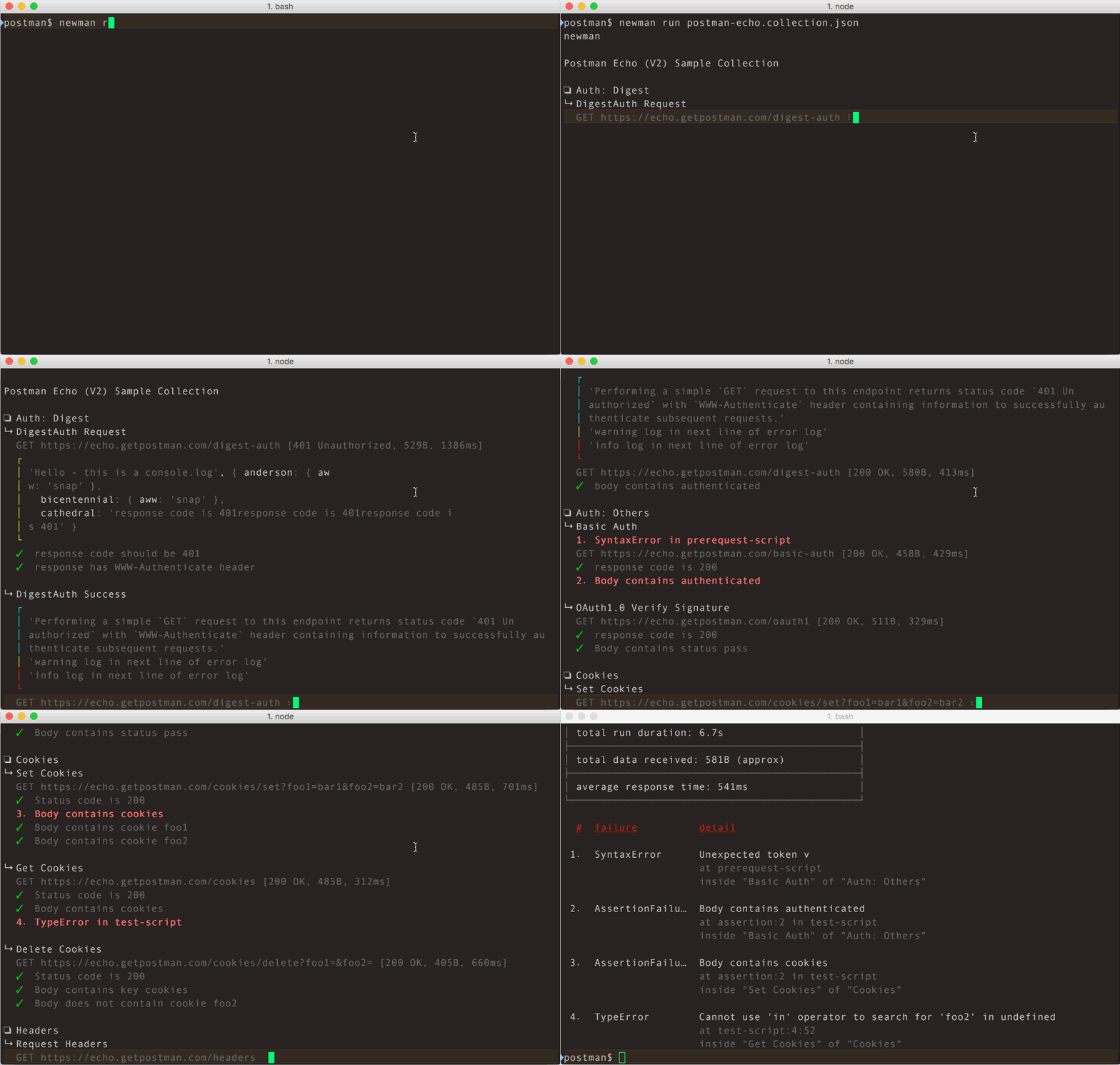
Hey @postmanerrrrrrr
Newman’s cli reporter doesn’t show that information on each line, but you could run Newman in a script and print something similar to the console for each request:
newman.run({
   collection: 'Your_Collection',
   reporters: ['cli']
}).on('assertion', function (err, o) {
    if (!err) { return; }
    console.log({
        "Request Name": o.item.name,
        "Assertion Name": o.assertion,
        "Error Message": o.error.message,
        "Error Stack": o.error.stack
    });
});
Newman’s cli reporter doesn’t show that information on each line
Ok this is pretty much the information I was looking for. I have a few more questions:
- Are there any plans to add this functionality to cli reporter?
- My environment file, collection file and globals file are in random locations on my local disk. Is there a way for me to run newman in a script and pass all these in using absolute paths like I can when I use newman.cmd?
I don’t have a view on the Newman roadmap to give you an answer to that question. All feature requests can be created directly on that project.
You should be able to use something like this in the script for full and relative paths to files:
newman.run({
   collection: require('./collection.json'),
   environment: require('./env.json'),
   globals: require('./globals.json'),
   reporters: ['cli']
}).on('assertion', function (err, o) {
    if (!err) { return; }
    console.log({
        "Request Name": o.item.name,
        "Assertion Name": o.assertion,
        "Error Message": o.error.message,
        "Error Stack": o.error.stack
    });
});
Same thing can be done when using the cli:
newman run <path>/collection.json -e <path>/environment.json -g <path>/globals.json

