Everything was fine before, but now I get an error after sending a request.
API docs: https://my.prom.ua/api/v1/products/edit
Everything was fine before, but now I get an error after sending a request.
API docs: https://my.prom.ua/api/v1/products/edit
Welcome to the Postman Community! 
Thanks for that link to the documentation, that really helps to see the structure of the endpoint. This seems to be an issue with the service you’re using rather than something that Postman is doing here.
I can see that you have a response from the server which correlates to the responses on the documentation.
One of the suggestions I could make is that because you’re editing something (I assume you created it and it returned an Id), that element is actually on the system?
I’m just guessing here, I don’t have deeper knowledge of that endpoint to know the actual solution. 
Perhaps there is a problem with the website I am sending the request to.
I take the unique product ID and change the price. Thank you for your reply. I will contact the website support team!
Danny, I got the following error, could you help me?
I also contacted the support service for which I am submitting the request, and they said that availability is mandatory. After editing the request, I received this error. I asked them a second question, to which I received the answer, “The problem is on the side of the program you are using to submit the request.”
Thanks in advance!
Hey 
Not sure where to go from here to be honest. Did they provide you with a full example of the payload?
You could check the Postman Console to ensure that the correct payload (request body) is being used in the request.
This is an example from a practice server but the information that you are sending will be in your console:
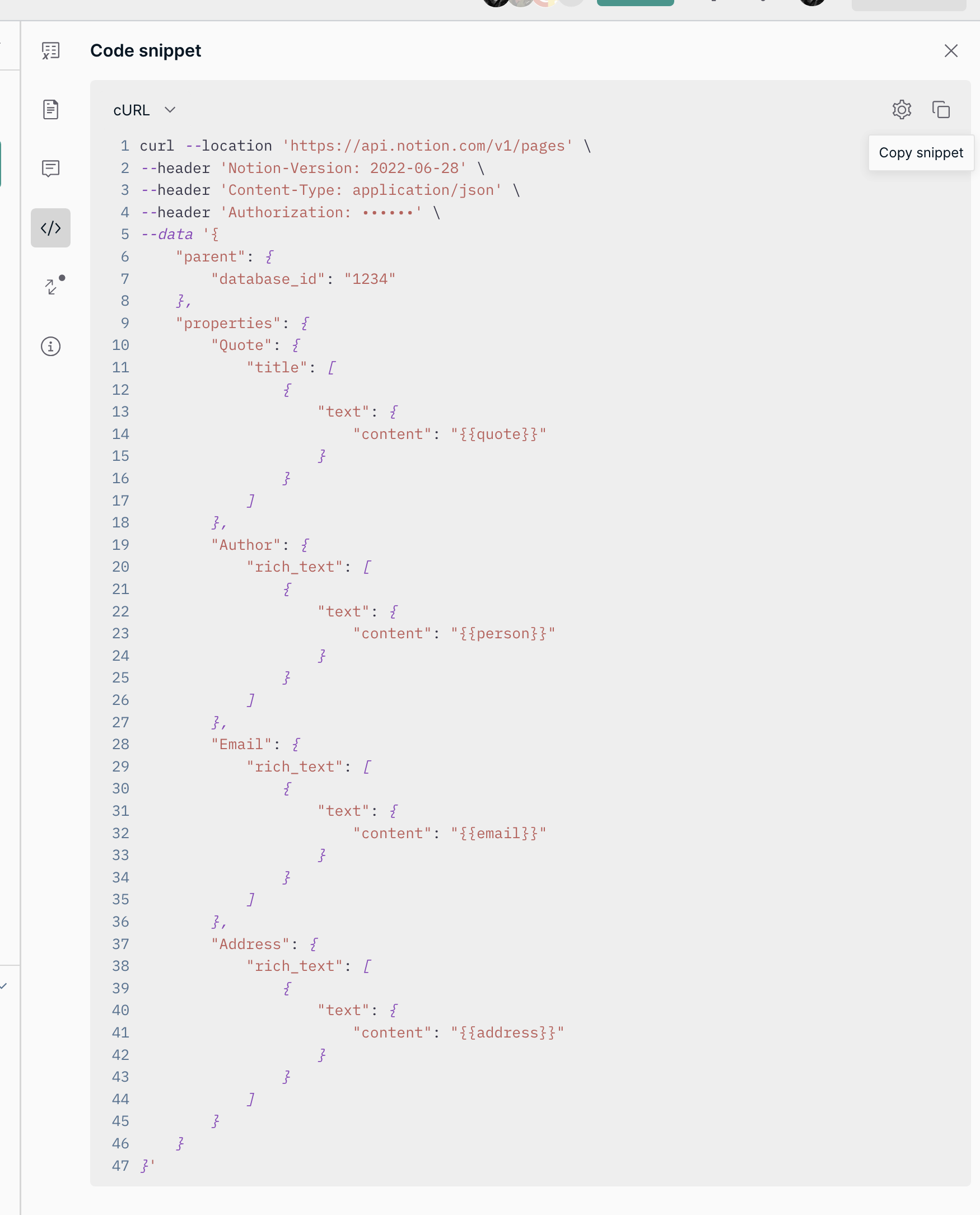
You could try copying the request as a curl statement and try to run that on the terminal? If that is still returning the same response message, you know it’s not an issue with the program you’re using to send the request.
Another example of what that code snippet would look like:
It probably sounds stupid to ask, but what happens if you put the data you’re uploading into ““ too?
I noticed that when I ran my upload, I used a custom field {{email}} but in the csv file I actually had to encase the email address in ““ otherwise I received the same error response.
So in this case, what happens if you try the following in a command?
"id": "2121841645",
"Price": "36.65",
"Presence": "available"

etc etc.
If this works in an individual command, add the ““ to the csv in the custom field column. I found that worked for me. Might be worth a try?
It all depends on what the API is expecting and the datatype of the properties. If it expects each value to be a string, then adding the quotes would be how the do that.
If the value is a integer, boolean, array, etc. that would likely cause a 400 error or however the server has been implemented to handle those cases.
Example from the docs:
[
  {
    "id": 0,
    "presence": "available",
    "in_stock": true,
    "regions": [
      {
        "id": 194014000,
        "name": "region name",
        "name_multilang": {
          "ru": "Наименование региона на русском языке",
          "uk": "Назва регіону українською мовою"
        }
      }
    ],
    "price": 0.00001,
    "status": "on_display",
    "prices": [
      {
        "price": 0,
        "minimum_order_quantity": 0
      }
    ],
    "discount": {
      "value": 0,
      "type": "amount",
      "date_start": "string",
      "date_end": "string"
    },
    "name": "string",
    "keywords": "string",
    "description": "string",
    "quantity_in_stock": 0,
    "oldprice": 0
  }
]
Thank you very much, I’ll give it a try!
From your last example, it looks like your payload is an array, inside an array, which doesn’t match the structure of the example for the Docs.
Thank you very much for your help, I have solved this problem!
I really don’t understand why they write “available” and “in_stock.” They changed something and didn’t say anything (the website I’m making the request to), and support can’t even answer anything.
Thank you very much!