Hi
We wanted to keep out business logic private inside npm package in the azure artifacts
and use it in out CI pipeline using posmtan cli collection runner and also using local postman tool run.
How to achieve this both local run and CI pipeline run
Hi
We wanted to keep out business logic private inside npm package in the azure artifacts
and use it in out CI pipeline using posmtan cli collection runner and also using local postman tool run.
How to achieve this both local run and CI pipeline run
Hey @kdayalan 
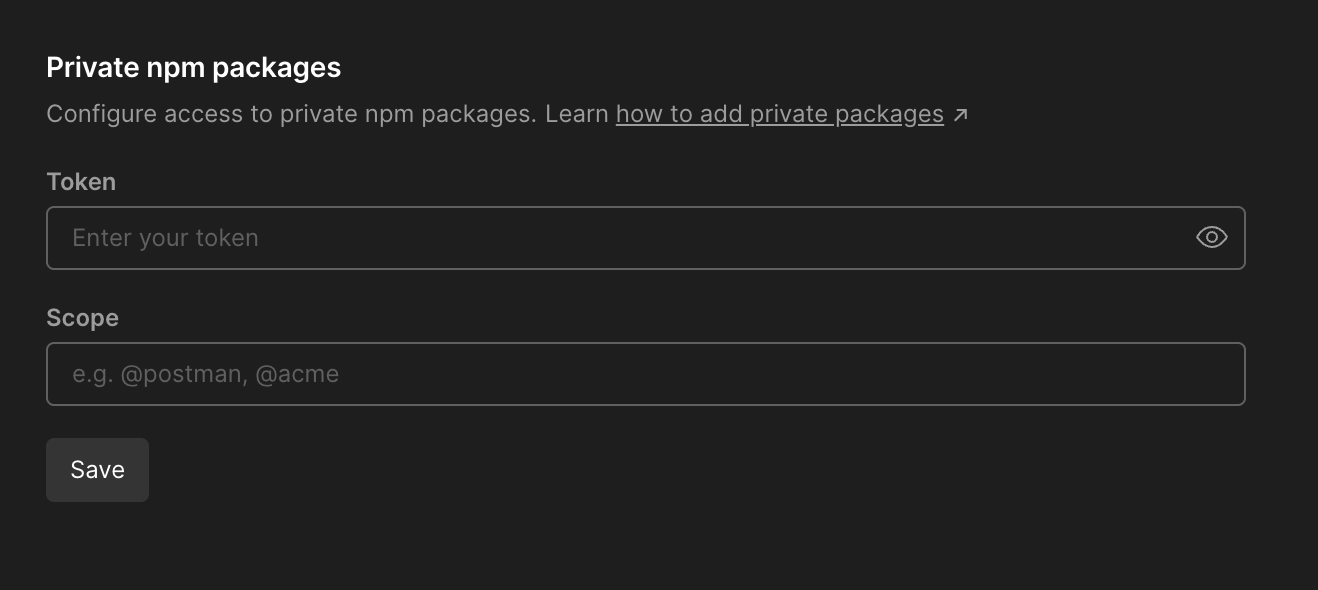
To enable the use of Private npm packages, a Team Admin would need to set up the configuration in the Team Settings.
Thank you Danny for local access how about accessing from Azure artifact npm package directly within CI Pipeline using postman CLI collection run
I’m not 100% sure what you mean here by local access 
If you have configured the Team Settings to authorise the use of Private packages from NPM, you have these references in your Collections, they should work when running the Collection with the Postman CLI.
When using the Postman CLI with your API Key to access your account and then run the Collection using the Collection Id in the CLI command - That should be enough.
Are you seeing any errors? Did you want to share an example of your Postman CLI command?
Hi Danny what I mean by local is from Postman tool without CLI command and I wanted to know how can I access the npm packages through CI pipeline. would it still require to use pm.require(‘npm:[email protected]’) or what is the command to directly access through pipeline npm registry froma azure artifact. FYI i have not setup in local postman tool token, i have just registered in Azure artifact through npm package publish.
Once you have the authorisation set at your team level, for you to use a private package from npm that should be all that’s needed.
The way that you would use it in Collection is using the syntax in the script, as you would with a public package.
// package imported from npm
const npmVariableName = pm.require('npm:@private_team/package-name@version-number');

npmVariableName.functionName()
Running that locally (In the Desktop Client) would work, using the same Collection with the Postman CLI would also work.
There’s no outside setup required, it’s all reading it from the Collection and the references to the private package within your scripts.
One clarification without giving access token in postman tool can i run directly through azure CI pipeline with accessing the artifact on run time can the postman script access the npm package functions using just require(‘npm private package’)
The script in Postman wouldn’t recognize that reference, as it isn’t related to the Postman CLI or your Collection directly.
To use a private npm package with Postman, you’ll need to authorize it in the Team Settings and then require it in your script.
This is currently the only supported method for working with private npm packages in Postman or when running a Collection via the Postman CLI.
I understand you’re exploring alternative approaches, but just to clarify, this is the process in place right now.