Issue claiming API Test Automation badge

I recently finished the Postman API Test Automation for Beginners course and I’m trying to get the API Test Automation badge but I keep getting the following email:

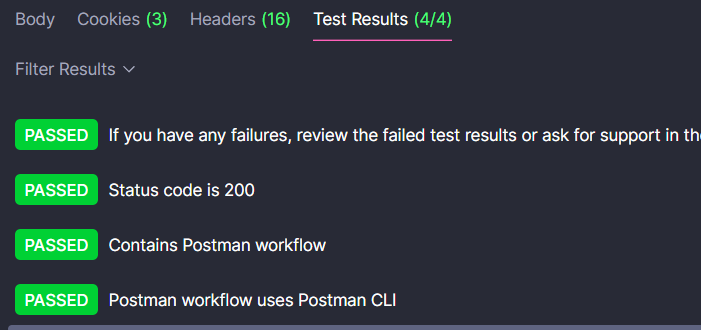
My last assignment is correct and it does inclue “github.com“ in the collection variable, also I’m getting all tests passed when I run my verification

Just for the record, here’s my collection variable (I’ve tried removing the “https://” and the tests are still passing —as expected— but I’m still getting the same email from postman):

@danny-dainton

2 Likes

Hey @applepie1 :waving_hand:t2:

I’ll take a look at the logs on the solution checking side for that course and get to the bottom of what’s happening, it’s possible that it’s a change that’s happened upstream and knocked off the automated check/assertion slightly.

Leave this with me and I’ll get back to you with an answer very soon. :folded_hands:t2:

Hi @danny-dainton Thank you in advance!!

If it helps, in the script that verifies my tasks for the assignment I noticed that the expected url contains “blob”, but the current github URL to my project contains “tree”, however my tests are still showing passed 4/4.

I hope it helps!

@applepie1 :waving_hand:

If you click on the cloud icon at the end of the value field, does it still contain the old shared value “LINK TO YOUR PROJECT…”?

The state that the variable is in right now is you have only made the change (added your link) locally and it’s still using the previous shared value.

If you use the three dots menu, you can add in the Shared Value column to see the value that is seen by the Postman API. It needs to be shared in order for that to pick it up.

You can use the Share all to share your edited version or you can update the shared value of each individual variable.

The variable experience has recently changed so this will be a new step and we’ll update the challenge for that day to include this step.

2 Likes

I just wanted to jump back in here to clarify what this url is and why you’re seeing tree here, the tree view would be at the folder level:

The blob view would be at the individual file level:

It’s at that file level where the assertion happens, to check the workflow file contains the specific parts of the Postman CLI command.

2 Likes

Hi @danny-dainton :waving_hand:

Thank you for the clarification, and the help! I was able to add the value to shared value as you said and I was able to get the badge.:alien_monster:

2 Likes